Alternative-risk analysis for brokers

One analysis record. Every decision connected.

Bring proposals, spreadsheets, loss runs, and broker assumptions together in one place. Review the source, compare program options, and turn the approved analysis into client-ready Excel and PowerPoint files.

Illustrative reviewed source evidenceIllustrative comparison workspaceIllustrative deliverables workspace
Illustrative product views using sample data.

01 · Documents

Start with the files already shaping the renewal.

Upload proposals, spreadsheets, loss runs, schedules, and broker assumptions. Each item stays tied to its original file so you can trace it later.

One client package. Clear status. Less time chasing files.

+Add source filesPDF, Excel, or CSV · approved broker or client files

Client package · 4 files

Renewal proposalTerms and program structureReady
Loss runsClaims and development detailReady
Vehicle scheduleFleet values and unitsReady
Broker assumptionsReviewed recommendation inputsReview
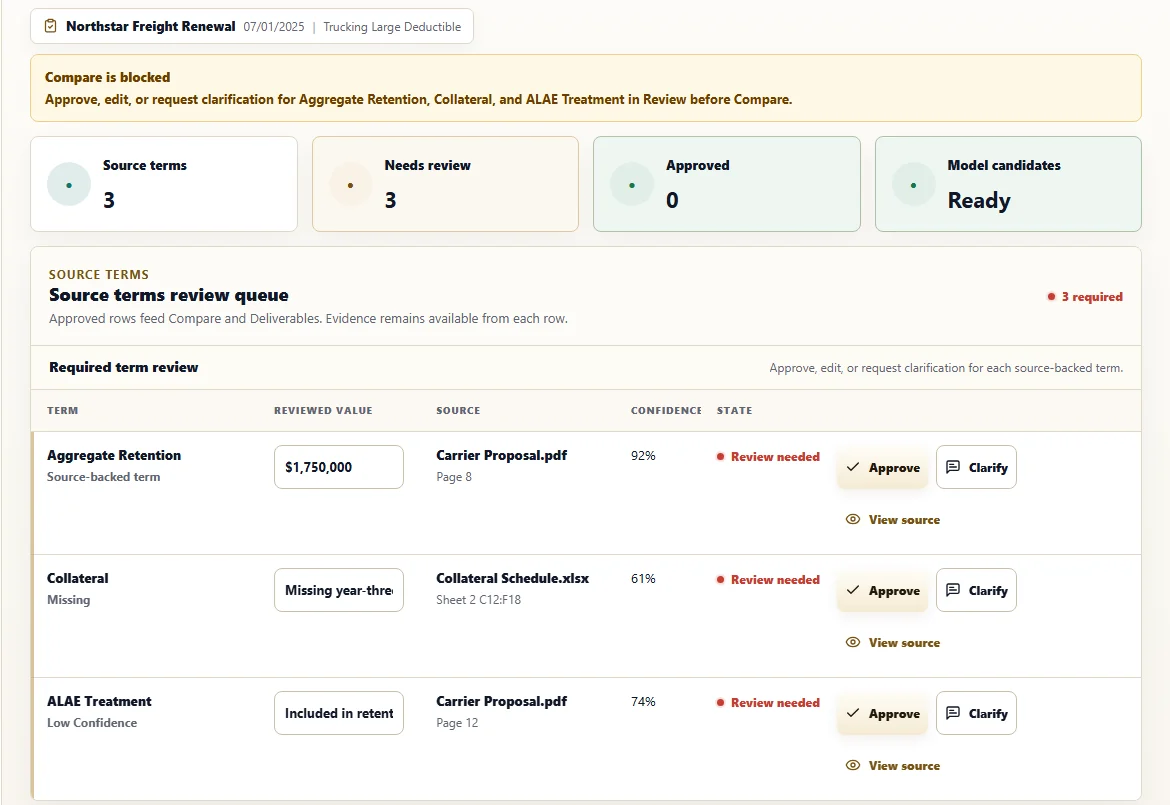
Illustrative source review · sample dataIllustrative review workspace showing source-backed values

02 · Review

Know where every important number came from.

Each reviewed value links back to the document, page, worksheet, or broker note it came from. Questions and broker adjustments stay visible before they affect the comparison.

Update changing terms without losing the source.

03 · Compare

See the trade-offs before you make the recommendation.

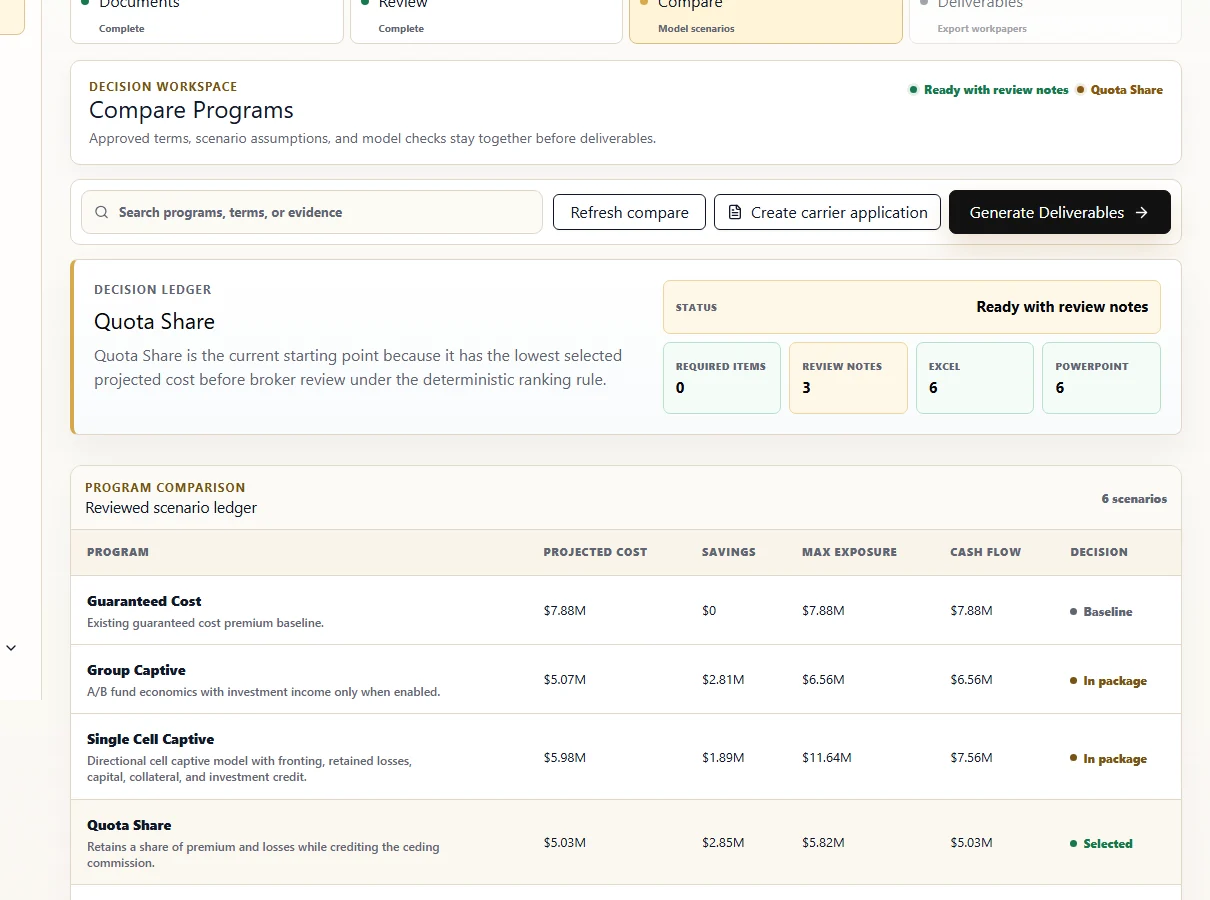
Compare captive, large-deductible, and traditional insured programs using the same reviewed assumptions. See cost, cash flow, control, and risk transfer side by side before choosing a direction.

Illustrative product view · sample dataIllustrative program comparison workspace

Change an assumption. See the impact without rebuilding the analysis.

04 · Deliverables

Carry the approved analysis into the client conversation.

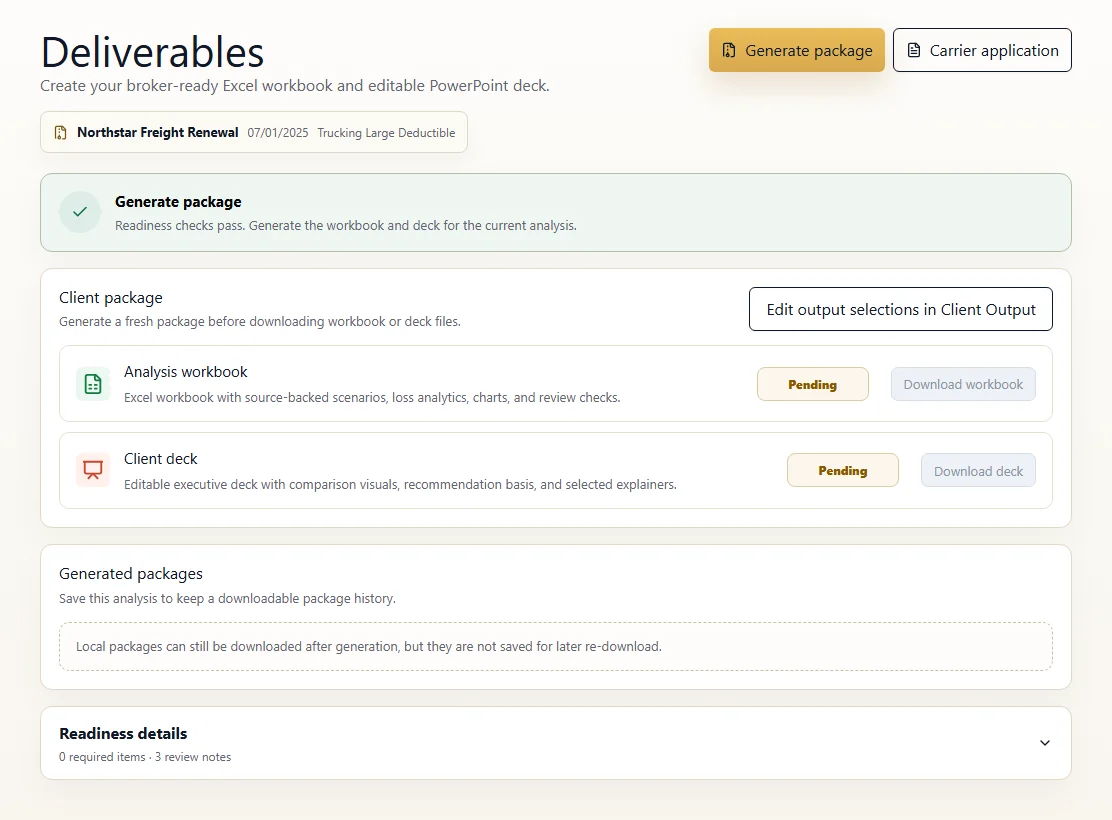
Create editable Excel and PowerPoint files from the approved analysis. See when each file was generated, whether it is current, and what is ready to download.

Spend more time preparing the recommendation and less time rebuilding files.

Illustrative deliverables · sample dataIllustrative deliverables workspace

Applications and Templates

Use reviewed account information beyond the analysis.

Prepare carrier applications and organize reusable blank forms without interrupting the Documents → Review → Compare → Deliverables workflow.

Applications

Prepare carrier applications using reviewed account information.

Use approved values from the analysis to fill supported PDF carrier forms, review the answers, and download the completed application.
  • General information 12 fields filled
  • Exposure schedule Reviewed
  • Manual answers Entered for this application

Templates

Keep blank forms and reusable field mappings organized.

Keep supported blank carrier forms and reusable field mappings for future applications. Completed applications are not stored.
  • Carrier application form Active
  • Fleet layout · mapped form Mapped
  • Blank form library Shared with your workspace

Free workspace

Start with one client package.

Take one approved client package from document review through program comparison and client-ready files.